Publishing A Page
When the Journal is set to publish, every page will have controls to publish to (or unpublish from) the web:
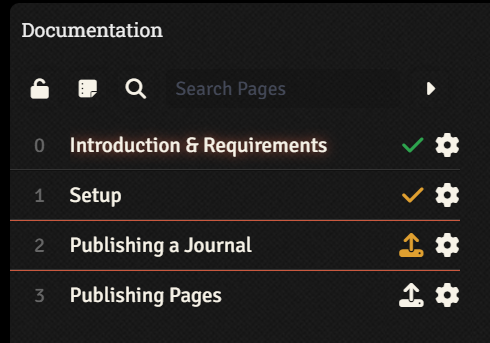
A checkmark appears if the page has been set to publish, or an upload button if the page as not been set to publish.
An orange color means the selection has been made, but not yet committed to your website. A green color means that the published/unpublished state of the page is live.
The gear icon opens up page settings, where you can override the Author, Image, and Tags of that Journal for that specific page.